Export Pro/x264
On the Macintosh, you may notice a gamma shift when you export to QuickTime's built-in H.264 encoder (whether thru "QuickTime Movie" or "MPEG4" encoders). This is an Apple bug that they seem reluctant to fix. However, there is a work-around.
- this works only for the Pro version of kJams
- quit kJams
- download this free x264 encoder (link to original page)
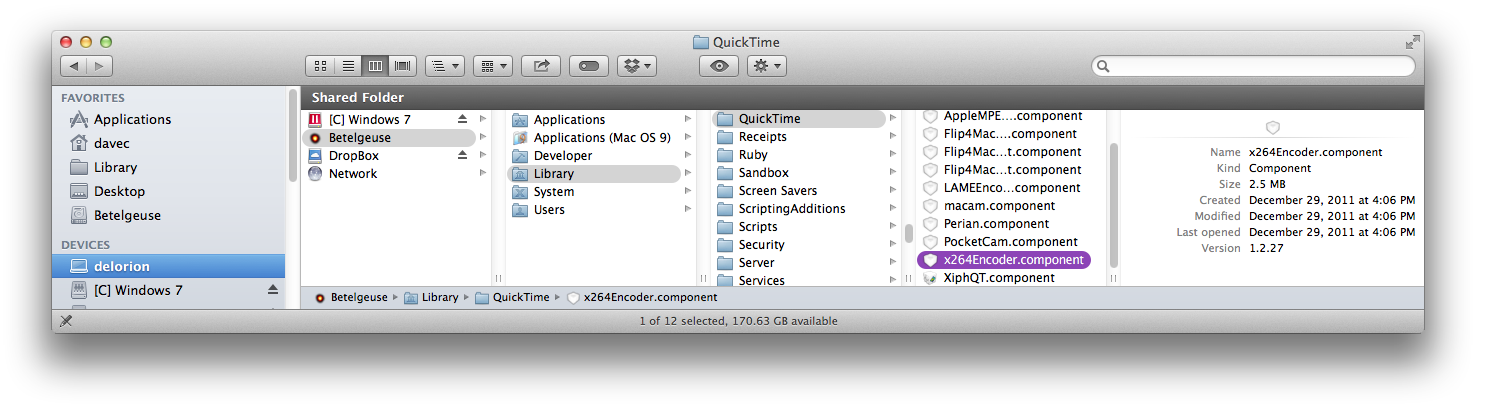
- from the Downloads folder, drag "x264Encoder.component" into /Library/QuickTime, so it looks like this:
- run kJams
- go to preferences->exporting
- for "Movie Encoder" pick "QuickTime Movie"
- click the "New" button
- enter "x.264", click OK, then click "Edit"
- Make sure “Video”, “Sound”, and “Prepare for Internet Streaming” are all checked.
- under “Prepare for Internet Streaming”, choose “Fast Start”.
- Under Sound, click “Settings” button, Change the settings to this:
- Format: AAC
- Rate: Recommended
- Render Settings: Quality: Normal
- MPEG 4 AAC LC Encoder Settings: Target Bit Rate: 160kbps
- Click “OK”
- Under Video, click “Size” button
- set "Dimensions" to "Current"
- turn OFF "Deinterlace Source Video"
- now go to this web site
- scroll down until you see "Detailed Instructions for Flawless H.264 Output"
- skip the steps that read "Select: “Format: Quicktime Movie”" and "Click “Options” button", cuz you just did that
- follow the rest of the steps there
- Back at Preferences, click "Duplicate"
- rename it so it says exactly "x264 HD". The Space and the "HD" are important!
- click "Edit" then click "Size"
- under Dimensions: pick "HD 1280 x 720 16:9"
- click OK all the way out
- you're all set!