Web Purchase/Coupon
Click here to enter the coupon:
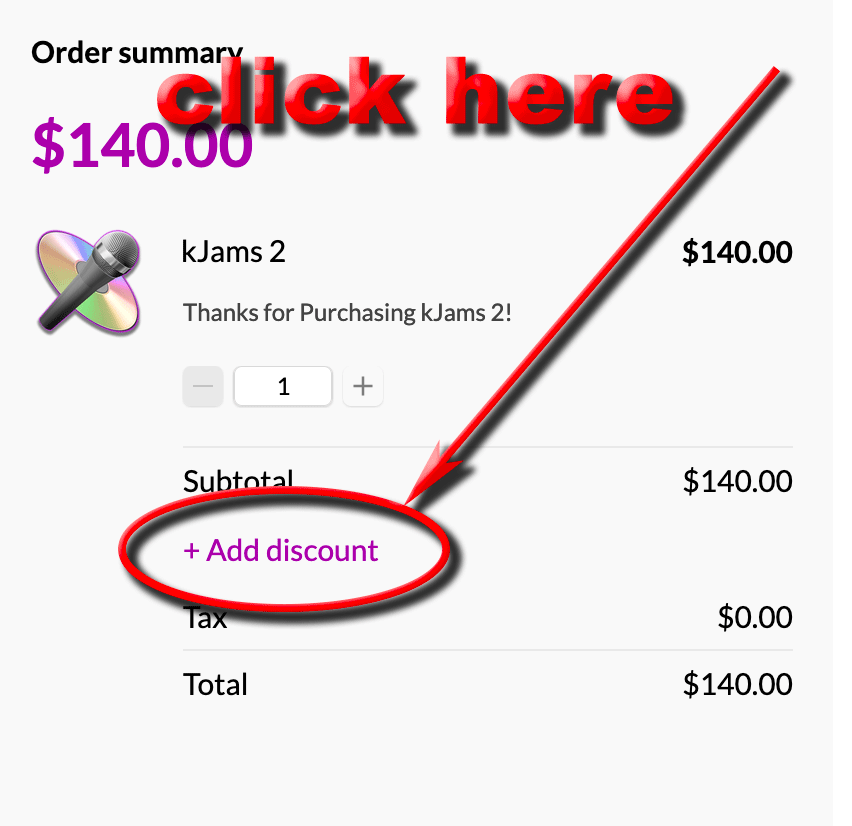
Then enter the coupon like shown below:
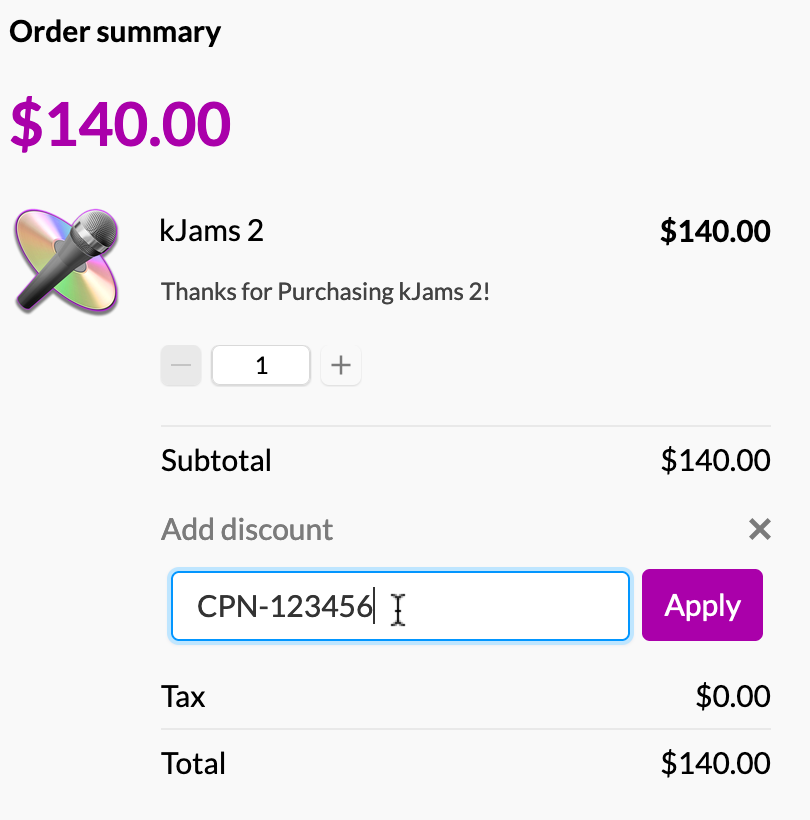
Important: you must then click the "Apply" button!
Click here to enter the coupon:
Then enter the coupon like shown below:
Important: you must then click the "Apply" button!