Windows

From kJams Wiki
Revision as of 21:31, 8 June 2020 by Dave (talk | contribs) (Created page with "A Visual Tutorial on getting kJams for Windows installed. # click the download link that you want (lite, pro, or 2) # at the bottom left of the browser window, you'll see thi...")
(diff) ← Older revision | Latest revision (diff) | Newer revision → (diff)
Jump to navigation Jump to search

A Visual Tutorial on getting kJams for Windows installed.

  1. click the download link that you want (lite, pro, or 2)
  2. at the bottom left of the browser window, you'll see this:
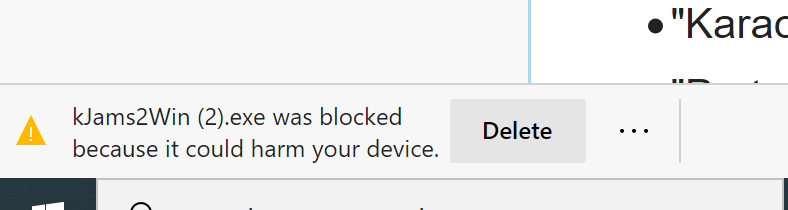
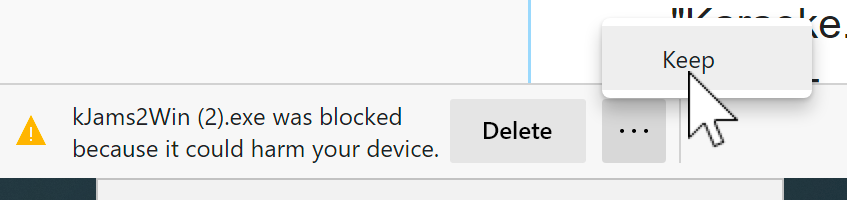
  3. To the RIGHT of the "Delete" button, do you see the three little dots ("...")? Click that!