Installing/Mac
- You should see a window in the Finder, like this?
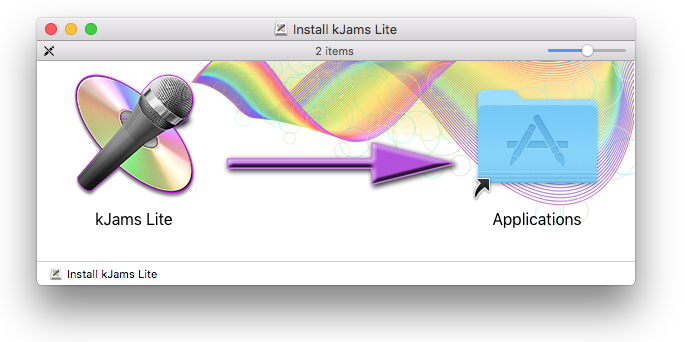
- You will see the kJams icon on the left, and a shortcut on the right which points to your own Applications folder on your Mac
- In keeping with the big purple arrow, drag the kJams icon on to the Applications folder (shortcut) icon, then let go. kJams will be installed.
- Go to the File menu and pick "Eject", or drag the "Install kJams" disk image to the trash
- Go to your Applications folder (see the "Go" menu if you don't know how) and scroll to where the kJams icon is showing
- Drag it from your Applications folder to your Dock. Now you can launch it from your Dock with a single click.