New Site
needs response
- update WP to latest version, update all plugins to latest, ensure they all work
- update: there are still 4 updates available (1 plugin, 3 themes), do we need these? if not how do we say "don't notify me of these updates, thanks"?
- this page has you uploading a file. But i just want a permanent hyperlink. (eg: i upload the files to the file system and the link already points to the new file)
- update: fixed. great! how do i: 1) remove a row? 2) change the row header word "Version" to "Edition" 3) add another "Edition" to the menu (eg: "MP3 Encoder")
- show me how language files will work, such that when a user loads the site from germany, they will get the german language version
- updated: what i mean is, we need separate strings files (strings content separated from layout) that will be automatically dynamically loaded depending on the user's browser's language setting. this already works in the current landing page, i have hand-translated strings to replace the current ones
- update2: any update on that?
- update3: okay that works great for getting the proper hand-translated strings in there. however, my question remains: when a user from germany, who has already set their browser language to "de", will they see the page in german automatically? that's what i want, the user from another country should never have to say "i'm from this country", since the browser already knows this info (tho if the option is there to pick that is fine, perhaps just auto select it)
- update4: further testing when we have lang files
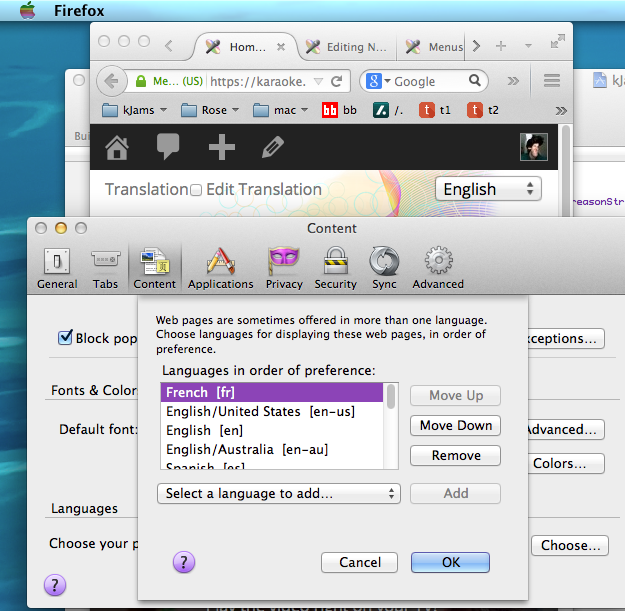
- update5: if i set my browser's language to french, the site still loads in english. i want it to automatically show the french page based on the user's already-selected language
- update6: it seems to be still not working. i set my browser language to french, then refreshed the page, but it is still in english. in the screen shot below, it shows the page still in english, and in the prefs it shows what had already been set in then language chooser AFTER i had set it there and hit refresh on the page
fixed
- how do i edit the links in the help menu?
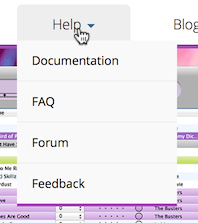
- how do i edit the links in the bottom bar?

- some content is blocked because it's not being served over HTTPS ? can we fix this?
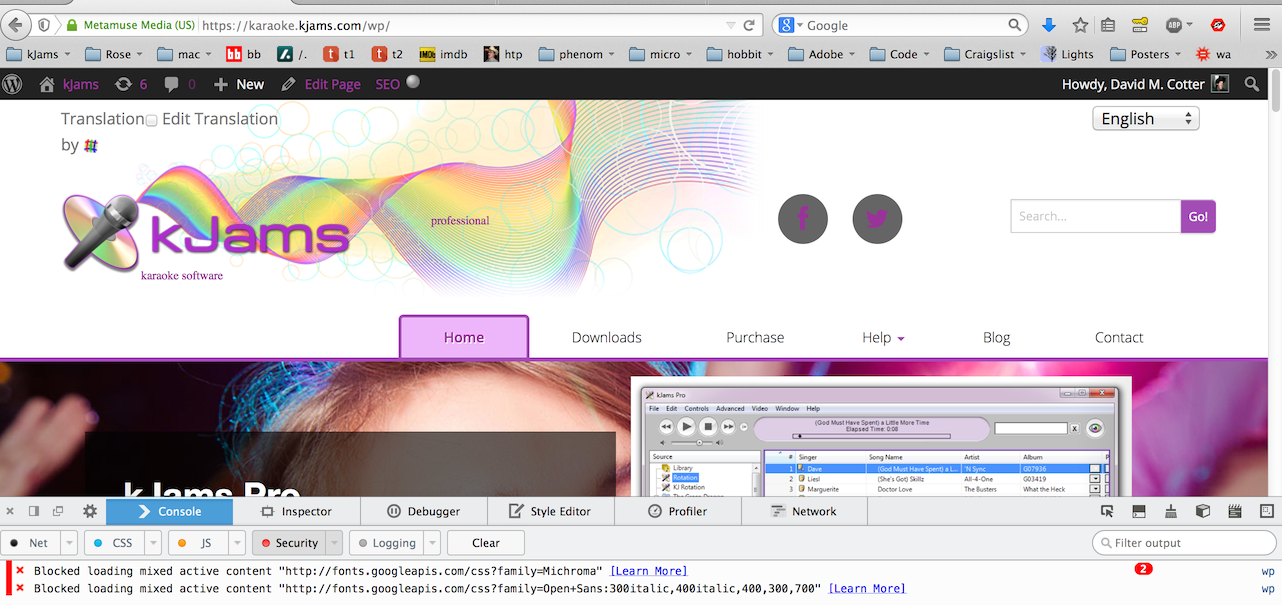
- the header still seems to take up quite a bit of real estate on a wide screen, can we squish it up more? also note the mic doesn't align with the rainbow when scrolled down
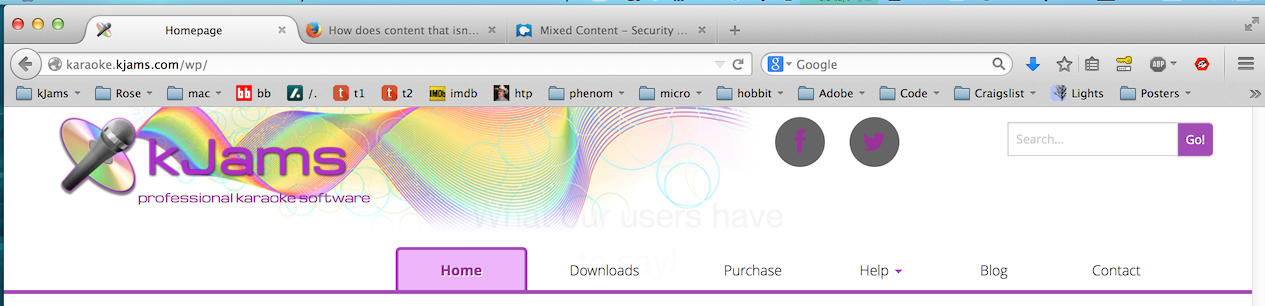
- on iPhone, site is not visually optimized. please see here for examples of good design
- update: the point is it should look like it was *designed* to look good on an iOS screen.
- update: the point is it should look like it was *designed* to look good on an iOS screen.
| Looks like this | Should look more like this |
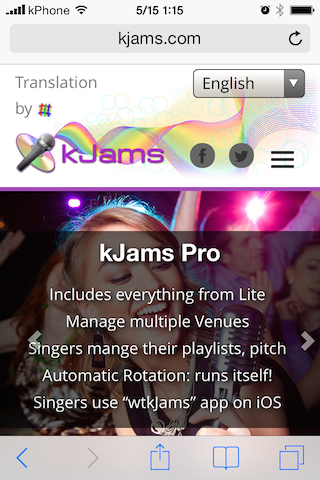
|
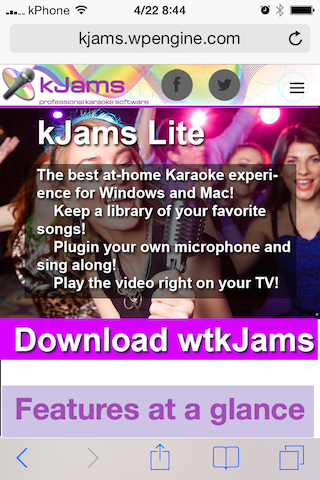
|
- on iPhone, site is not visually optimized
- update2: header still takes up half the screen, background image is not resized so you can see more of pic. i see that it seems based on size of text copy of largest blurb (kjams 2), i'll cut them all down to the size of the "kJams Lite" blurb"
- update 3: you now have new copy to insert
- update 4: when the site gets iPhone sized, can we move the "translation menu" into the "☰" menu (or even just get rid of it), the point being to make the header bar as vertically small as possible, see above screenshot
later
- on iPhone, site is not or performance optimized, can we do something about that? *very* slow to load
- get rid of the selection "drop down menu" and the "download" button. instead, insert three separate buttons "Download Lite" "Download Pro" "Download 2"
- update: well, i'll do some user testing and see what the users say. i think i'm okay with it as is, but let me get back to you
fixed
- iOS still "slides" at 5 seconds, instead of "fade" at 10 seconds
- update3: hmm, this does not seem fixed on my iphone
- the rainbow graphic only aligns when the browser width is > 1200px, or when exactly about 387px. rainbow should always align. perhaps (?) make the disc logo and the rainbow just one big graphic?
- updated: still not always aligned when width < 464px
- update2: still not lining up at some widths. please take the time to resize your browser window horizontally and watch the rainbow point sometimes not touch the microphone head
- update3: it's getting better, yes, but still not there yet. there are still sizes where the point of the rainbow does not hit the tip of the microphone. so, it seems you're not actually doing your own testing? can you please just test this in Firefox by dragging the width of the browser and watching for sizes where they do not align?
- when the page width gets small, the "Tab bar" turns into a little graphic like "☰", next to the social icons. however, it "line breaks" separate from the social icons. can we make it break WITH the social icons so it does not get onto a line by itself
- updated: but it still breaks into it's own line between 465 and 529 pix
- update2: still breaks separately at smallest size
- update3: this pic was taken at 330 pix wide:
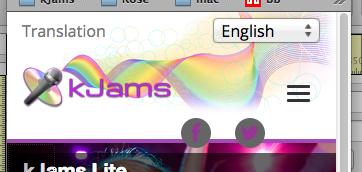
i will be testing on an iPhone (non-retina display) and will let you know my findings
- is it possible to do an "every other" color scheme in the "what our users have to say" section? let's try a different color too, a color from within the disc logo (a blue or a green?) use your design sense
- updated: this is what i mean: so that when they all stack vertically (on iPhone) they look good
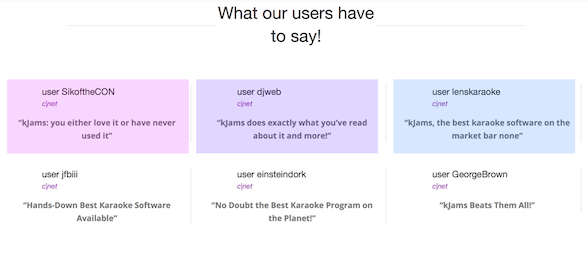
- update2: this looks fine, except the tint is not visible on iOS, which was why i requested colors in the first place :)
- update3: does not appear fixed to me.
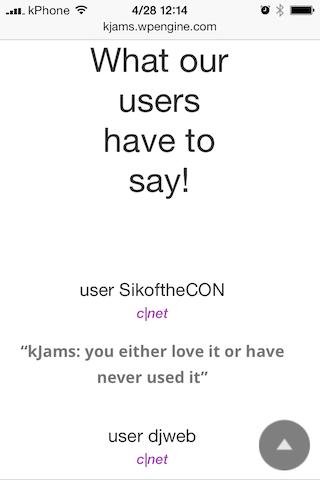
also, this is still not "optimized" for an iOS screen. The "What our users have to say!" should be one line on an iPhone
- updated: this is what i mean: so that when they all stack vertically (on iPhone) they look good
- the "home" tab does not have a "tab name" section UNDER the tab. good. all other pages do, please remove them, it is redundant.
- update: basically, remove this banner from all pages:

- update: basically, remove this banner from all pages:
- kJams logo becomes too small between 753px & 1196px, can we keep it large at those widths?
- rainbow graphic is clipped on bottom
- the rainbow graphic does not maintain it's aspect ratio
- is there a different graphic element we can use to indicate "menu" a bit better? (menu graphic is fine)
- when the page width gets small, the main section no longer shows graphics, this is fine, and the text suddenly gets a nice shaded background. i prefer that the text *always* has a shaded background
- the main section "slides" about every 5 seconds. can we get rid of the "slide" and instead make it "fade", and have the interval be ten seconds
- in the "wtkJams" section, the text "In the Paid Version:" is dark on dark. should be same color as other text
- move the "what our users have to say" section to the bottom
- in the "features close up" section, the "right-left" arrow UI elements MOVE when you click them. they must remain under the mouse and not move. can we top justify them within the current scroll view (floating at the top regardless of where you are scrolled in the current section), rather than vertical center (absolute position)
- on the "downloads" page, the graphics are different sizes vertically, which re-paginates the page when they slide, page should remain constant size
- on iPhone, scrolling the site will crash Safari
i'll do this
- provide actual links to the c|net reviewers
- "wtkJams" is incorrectly spelled "wtkJames"
- swap image out using new pic
- Image credit: <a href='http://www.123rf.com/profile_kjpargeter'>kjpargeter / 123RF Stock Photo</a>