Add To Library/Disabled
On MacOS 10.9.1 "Mavericks", do you have some files that simply refuse to be available to be added or re-linked? Do they appear grayed out in the file selection dialog? Like this:
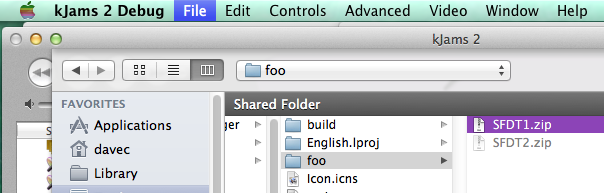
If so, open the Terminal (find it using Spotlight), then paste the below line (do NOT press RETURN yet!)
xattr -d -r com.apple.FinderInfo
Now, in the Finder, find the folder that contains all the files you will want to add or re-link to. This can be the main folder of songs that contains all the sub folders of songs. Drag that folder onto the Terminal window, like this:
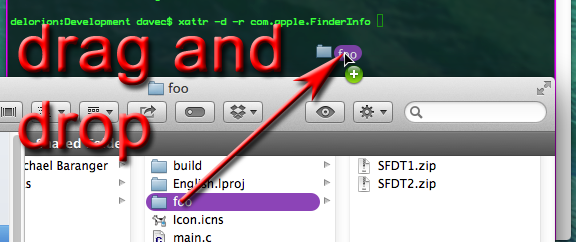
Now press RETURN.
Now, all your files should be available.