Installing/64bit Alpha
The Alpha version does not come with an installer, it's just a Zip file.
If you just download it from the web site, you first must unzip it.
Mac Instructions
- Unzip the file if that hasn't already been done
- Drag the app onto the "Desktop" (not the "Applications" folder, cuz you don't want to replace the 32bit version which lives there)
- If the Finder asks if you want to replace the one that is there, say yes. This is where you launch kJams 64bit from.
- First time only:
- go to apple->system prefs->privacy & security
- click the lock icon, enter your password, hit okay
- click the "privacy" tab, on the left, scroll down to "Full disk access"
- drag the app from the finder into the list on the right
- double click the kJams app icon
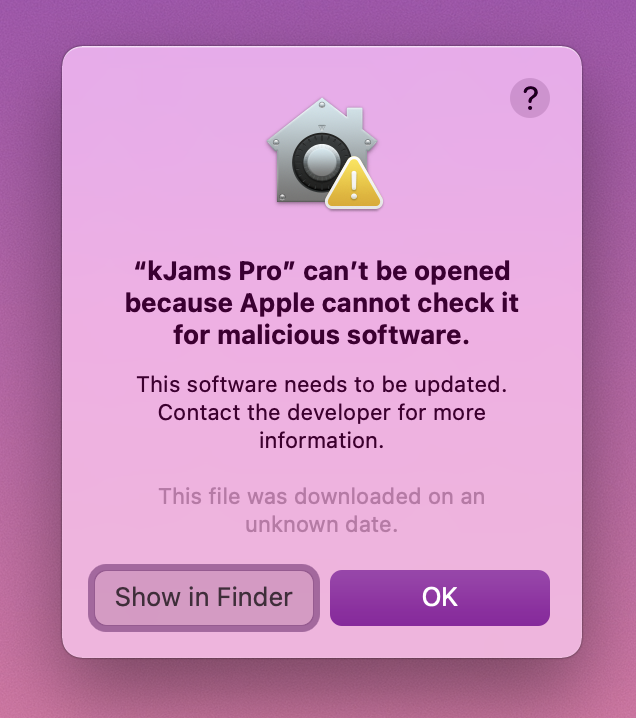
- it will fail to launch, claiming that the OS can't test for malicious software, click ok
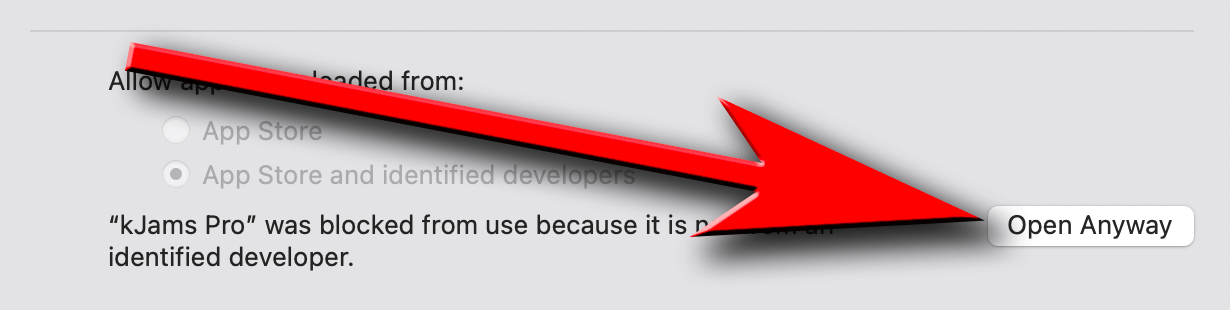
- in the system prefs panel, click back on the "general" tab
- click on the "Open Anyway" button, and kJams will re-open
- if you get a zillion asserts about "GetCatInfoBulk" force quit, let me know, and try again
Windows Instructions
- Unzip the file if that hasn't already been done
- Drag the app into the "Program Files" folder
- When Windows Explorer says there are files with the same name, click "Replace"
- First time only:
- To create a "Shortcut File" follow these instructions.
- Install the K-Lite Codec pack for h.264 playback
- When you run, kJams will ask you to install Bonjour Printer service After you install that, you must enable the service manually.
- In the OS search bar, type "services", and you'll see an app called "Services", click it.
- in the list that shows, type "bonj" and it will scroll down to reveal "Bonjour Service"
- right-click it and pick "Properties"
- in the "Startup Type" menu pick "Automatic"
- if the "Service Status" is not "Running", click the "Start" button