Music Store
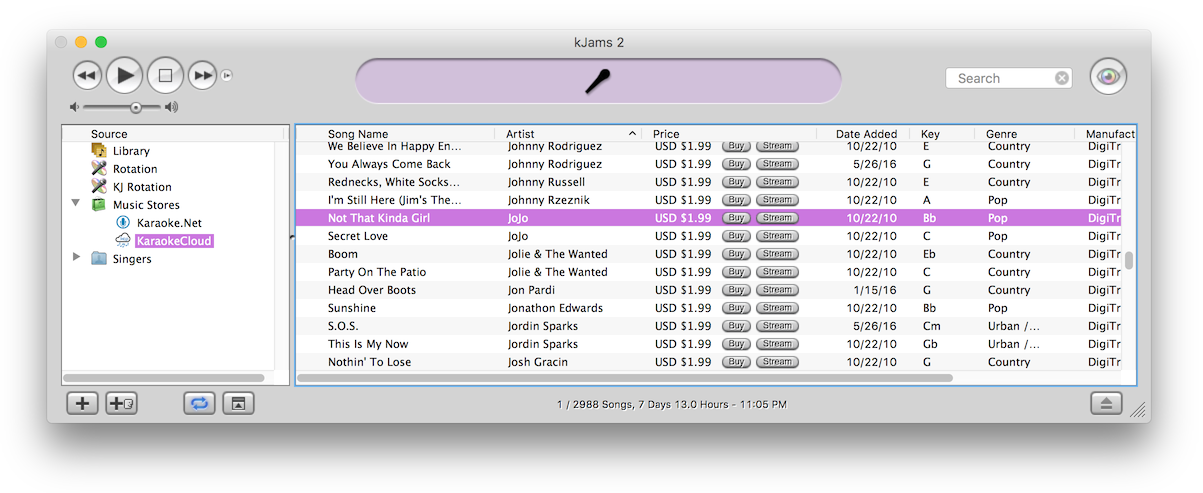
First, click the "disclosure triangle" (twirly arrow) on the "Music Stores" icon. Then click the music store icon itself (only TriceraSoft for now) to see what's in the store. Search the store. Click the "Buy Song" button :) On lots of songs! Okay you do have to fill out your One Click settings in the preferences. If you want true one click with no questions asked, then also turn off the "Confirm All Purchases" check box. To buy songs you can also just drag them to your library, that is how you can buy multiple songs at once, select them all and drag them to your library. You can hear a sample by double clicking the song.
If your store ever disappears for some reason, just quit, then delete the file ~/Music/kJams/kJams Library/Music Stores/TriceraSoft.xml and run again, it should rebuild.
If you select the "Music Stores" little shopping bag icon, you'll get info about each store (only one for now), and a double click on the store will take you to the Web storefront.