Screen Shots: Difference between revisions
| Line 7: | Line 7: | ||
| http://www.kjams.com/screenshots/dvd.jpg<br>DVD | | http://www.kjams.com/screenshots/dvd.jpg<br>DVD | ||
| http://www.kjams.com/screenshots/laser.jpg<br>LaserDisc | | http://www.kjams.com/screenshots/laser.jpg<br>LaserDisc | ||
| | | http://www.kjams.com/screenshots/vcd.jpg<br>VCD | ||
|} | |} | ||
Revision as of 18:59, 30 March 2007
About and Playing
 About kJams |
 CDG |
 KAR |
 DVD |
 LaserDisc |
 VCD |
Browser
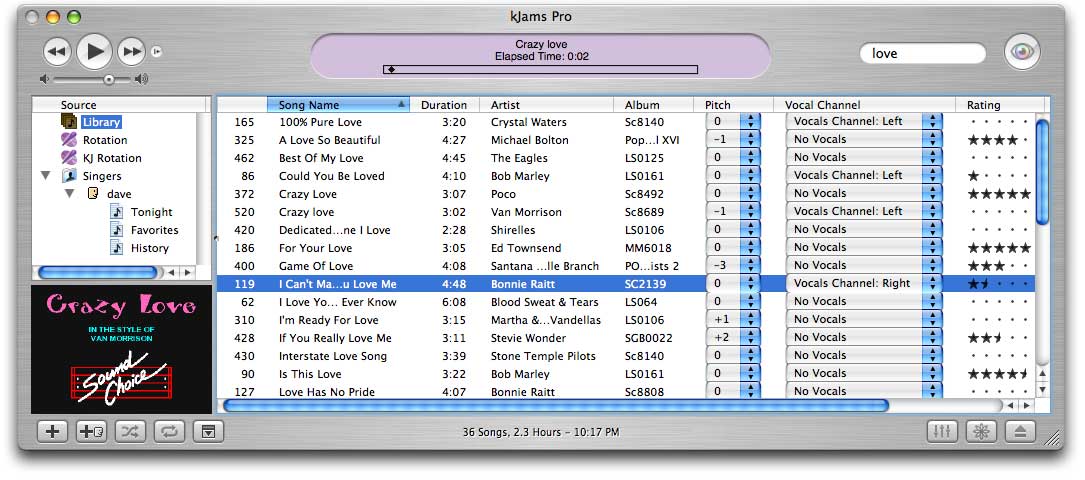
LCD Panel

The "LCD Panel", or Liquid Crystal Display Panel, is the area at the top of the browser window which gives you information about the current song. When a song is ripping, it shows the current progress of the rip. While a song is playing, it shows the current time of the song, and shows a little diamond-shaped "play head" that indicates graphically how far into the song you are. Note in the above picture, the "track" on which the playhead moves is partially solid, and partially dashed. The solid area is the area in which you can manually move the play head, like a scroll bar, click in this area to set the position (current time) of the play head, or drag it, this is also called "scrubbing" the play head. The dashed area shows how much of the song yet must be "rendered" in order to gather timing information for scrubbing. (If we didn't "render" the song first, then, when you "scrub", it could throw the timing of the song off, then the onscreen lyrics would no longer line up with the audio)
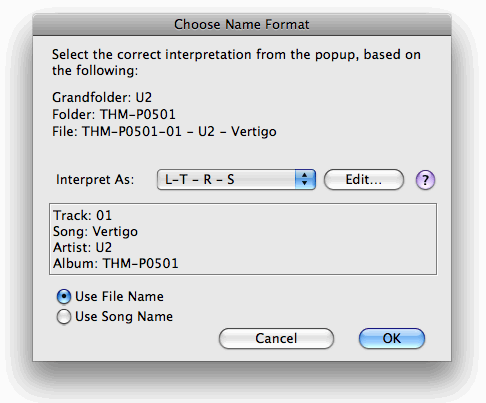
Song Name Interpretation
AV Pipe

Dave's "Tonight"

Liesl's "Tonight"

Rotation

More Screen Shots
See Preferences