Video: Difference between revisions
Jump to navigation
Jump to search
No edit summary |
No edit summary |
||
| Line 1: | Line 1: | ||
https://karaoke.kjams.com/screenshots/graphics.gif | |||
* you can resize the window | * you can resize the window | ||
| Line 7: | Line 7: | ||
* Will play QuickTime movies, including MPEG1 and MPEG2 (you need some plugins for that) | * Will play QuickTime movies, including MPEG1 and MPEG2 (you need some plugins for that) | ||
* Mac: You can show your web cam video under the lyrics screen! (Video->Web Cam Video Underlay) | * Mac: You can show your web cam video under the lyrics screen! (Video->Web Cam Video Underlay) | ||
https://karaoke.kjams.com/screenshots/video/transparent.png | |||
* You can also make the video window "Transparent", so you can put pictures or even movies behind the video window. There's even [[Code/new_Video_Backdrop_Generator|a script to automate it]]! | * You can also make the video window "Transparent", so you can put pictures or even movies behind the video window. There's even [[Code/new_Video_Backdrop_Generator|a script to automate it]]! | ||
Revision as of 04:31, 5 December 2014
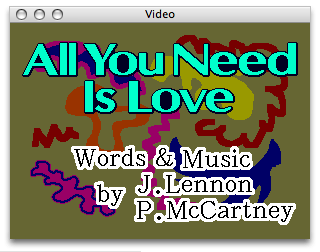
- you can resize the window
- you can put it on an External Monitor or TV
- you can make it full screen (command zero, or double click it)
- Pro Only: You can see the video in three places at once: Artwork Panel, and "Video Window 2" (Window menu)
- Will play QuickTime movies, including MPEG1 and MPEG2 (you need some plugins for that)
- Mac: You can show your web cam video under the lyrics screen! (Video->Web Cam Video Underlay)
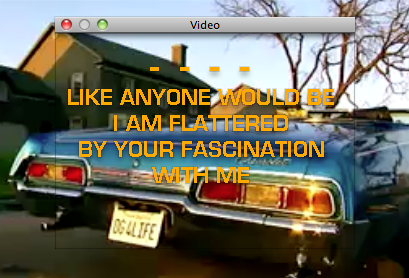
- You can also make the video window "Transparent", so you can put pictures or even movies behind the video window. There's even a script to automate it!
Showing Messages
Both Lite and Pro users can use the Messenger to show messages in the Video window.
Pro users can also use ShowScreens