Blog/Parallels/Recovery: Difference between revisions
Created page with "I have Parallels with a MacOS guest OS. I want to start said guest OS into it's own "Recovery Partition". [http://kb.parallels.com/en/116526 There's an article] describing e..." |
No edit summary |
||
| Line 17: | Line 17: | ||
https://karaoke.kjams.com/screenshots/parallels/nope.png | https://karaoke.kjams.com/screenshots/parallels/nope.png | ||
See how it says at the bottom "Parallels Tools are not installed" ? | See how it says at the bottom "Parallels Tools are not installed" ? That means the mouse and keyboard do NOT work, right? Well that's what it means for me. If I click in the window, I can't move the mouse at all, and the keyboard does exactly nothing. :( | ||
So | So I go to the "Virtual Machine" menu and pick "Install Parallels Tools", which brings me to this screen: | ||
https://karaoke.kjams.com/screenshots/parallels/nuh-uh.png | https://karaoke.kjams.com/screenshots/parallels/nuh-uh.png | ||
So you can see, this just ain't working. | So you can see, this just ain't working. | ||
Revision as of 18:40, 21 March 2014
I have Parallels with a MacOS guest OS. I want to start said guest OS into it's own "Recovery Partition". There's an article describing exactly how to do that.
However, when you follow that article, you get into the Recovery OS with no "Parallels Tools" installed, and apparently no way to install them.
I tweeted about it and quickly got a reply! HOPEFUL!
However, I was still unable to do anything. Here's what I'm seeing:
When i follow the first article, i get into this screen:
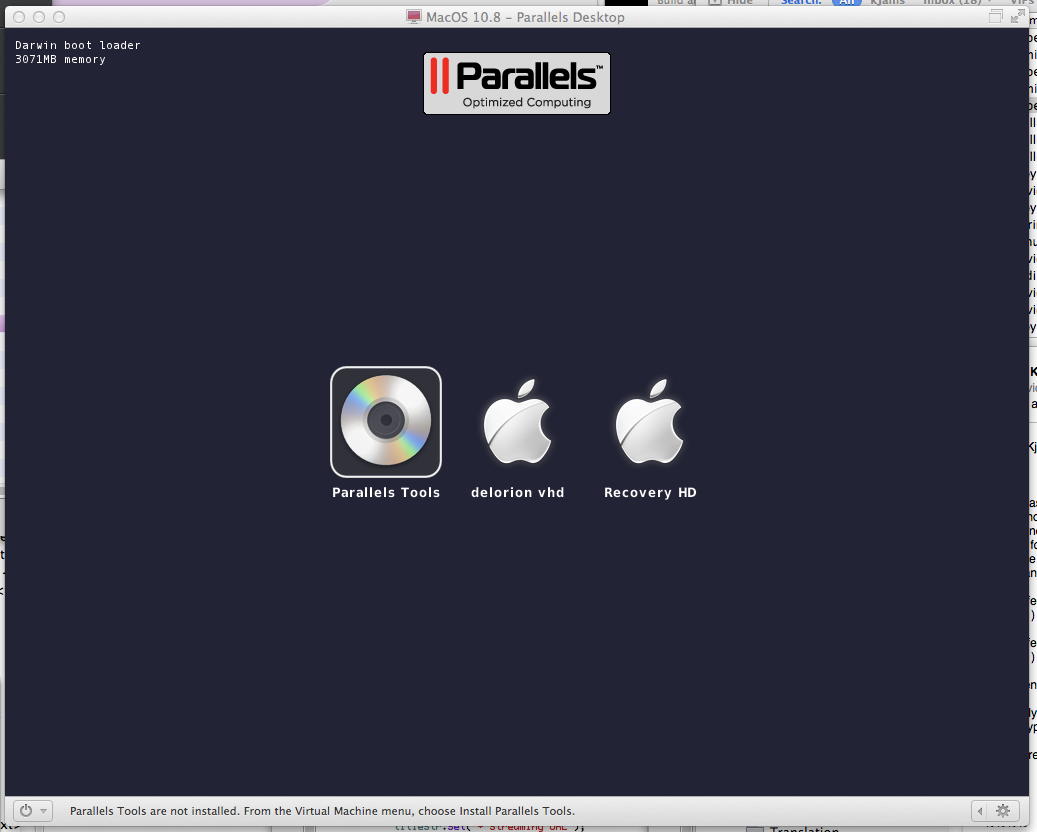
If at that point i attempt to press [return] to launch into the "Parallels Tools" installer, all it does is move the selection one to the right (onto "delorion vhd"), so that doesn't work.
What i really want to do is boot the "Recovery HD" do i click that. Then i get to this screen:
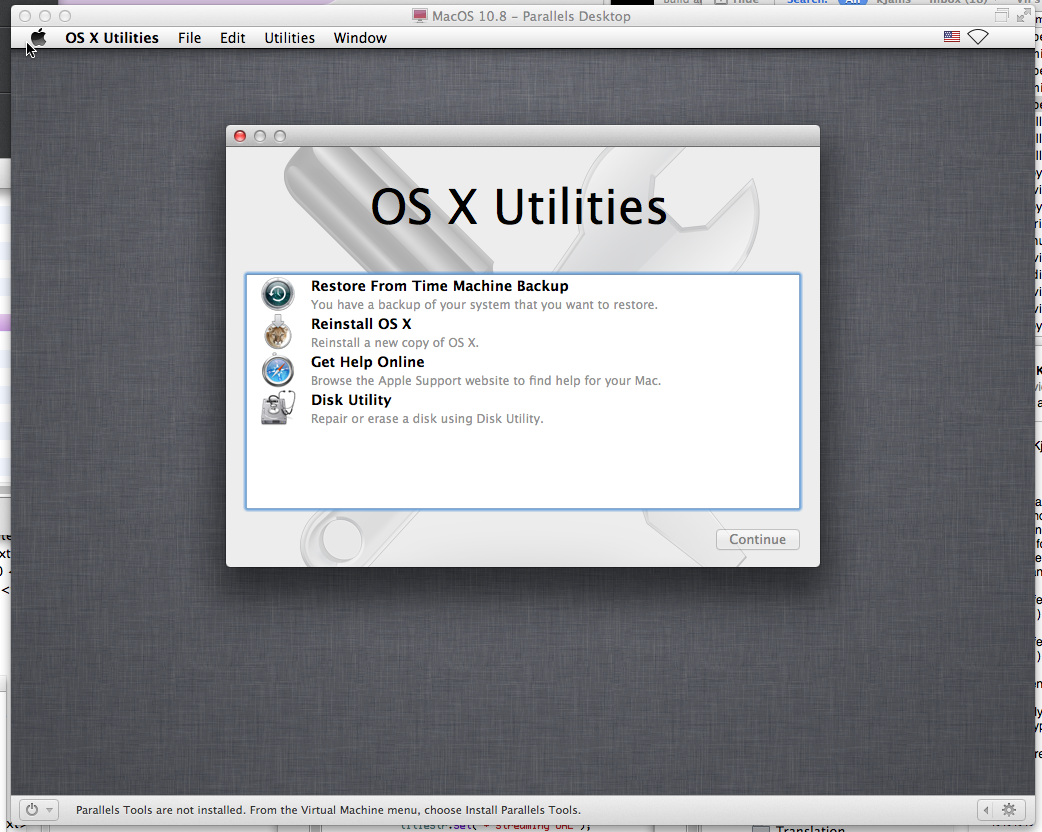
See how it says at the bottom "Parallels Tools are not installed" ? That means the mouse and keyboard do NOT work, right? Well that's what it means for me. If I click in the window, I can't move the mouse at all, and the keyboard does exactly nothing. :(
So I go to the "Virtual Machine" menu and pick "Install Parallels Tools", which brings me to this screen:
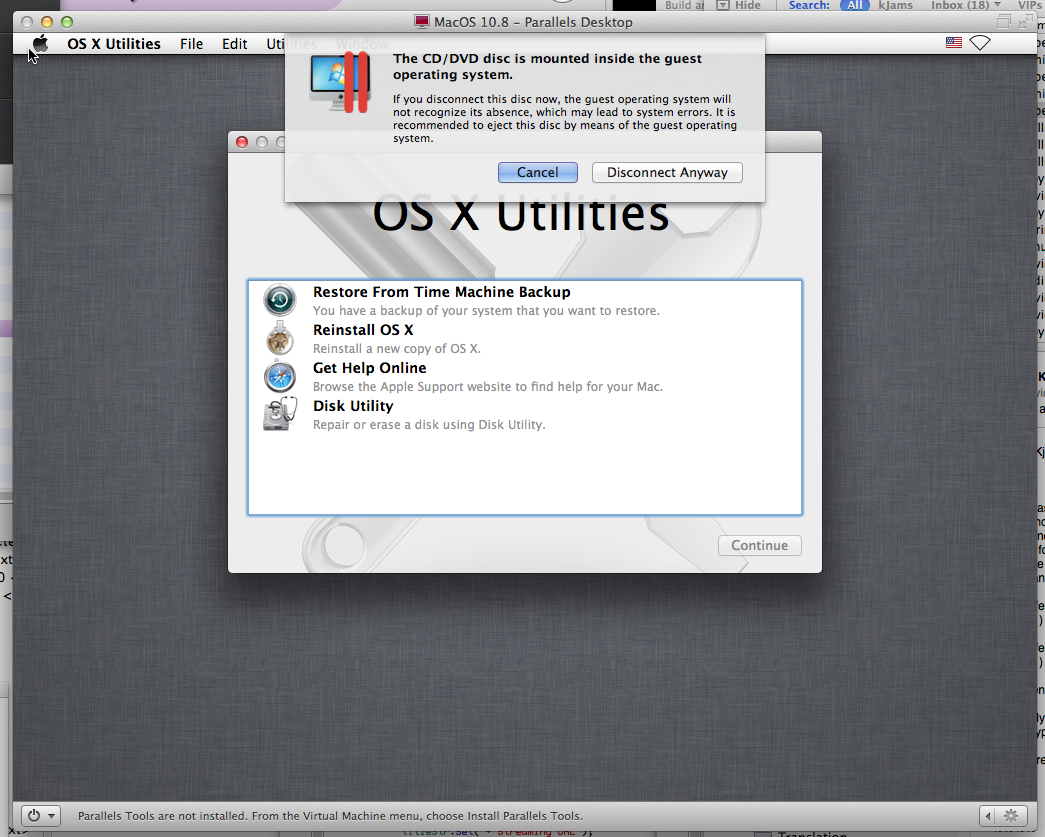
So you can see, this just ain't working.