Mini-Monitor: Difference between revisions
Jump to navigation
Jump to search
No edit summary |
No edit summary |
||
| Line 1: | Line 1: | ||
The Artwork Panel shows the currently playing song graphics. It's handy for when the KJ is not able to see the Lryics screen (say for example the TV is in front of the singer on the stage, not in front of the KJ). | The Artwork Panel shows the currently playing song graphics. It's handy for when the KJ is not able to see the Lryics screen (say for example the TV is in front of the singer on the stage, not in front of the KJ). | ||
http://www.kjams.com/screenshots/browser.jpg | |||
Eventually, you'll also be able to see the selected singer's Photo (and take a picture too), or use it to cue up the next song (showing a selected song rather than the current song) | Eventually, you'll also be able to see the selected singer's Photo (and take a picture too), or use it to cue up the next song (showing a selected song rather than the current song) | ||
Revision as of 07:28, 19 January 2007
The Artwork Panel shows the currently playing song graphics. It's handy for when the KJ is not able to see the Lryics screen (say for example the TV is in front of the singer on the stage, not in front of the KJ).
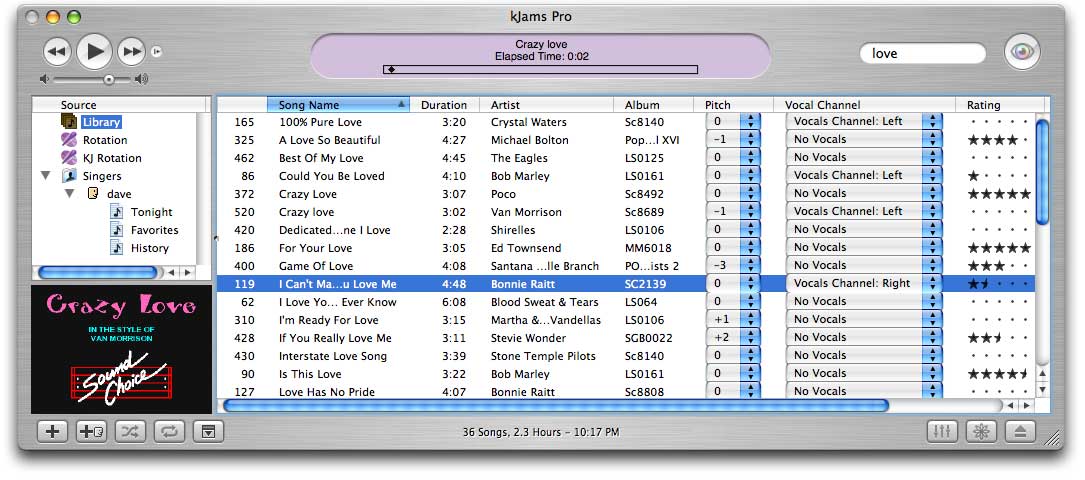
Eventually, you'll also be able to see the selected singer's Photo (and take a picture too), or use it to cue up the next song (showing a selected song rather than the current song)