Web Purchase/Coupon: Difference between revisions
Jump to navigation
Jump to search
Created page with "Click here to enter the coupon:<br> <img src="https://karaoke.kjams.com/screenshots/web-purchase/web-coupon-click.png" width="426pix"><br> Then enter the coupon like shown be..." |
No edit summary |
||
| Line 6: | Line 6: | ||
Important: you must then click the "Apply" button! | Important: you must then click the "Apply" button! | ||
Now [[Web Purchase|go back to the previous instructions]]. | |||
Latest revision as of 21:34, 27 August 2023
Click here to enter the coupon:
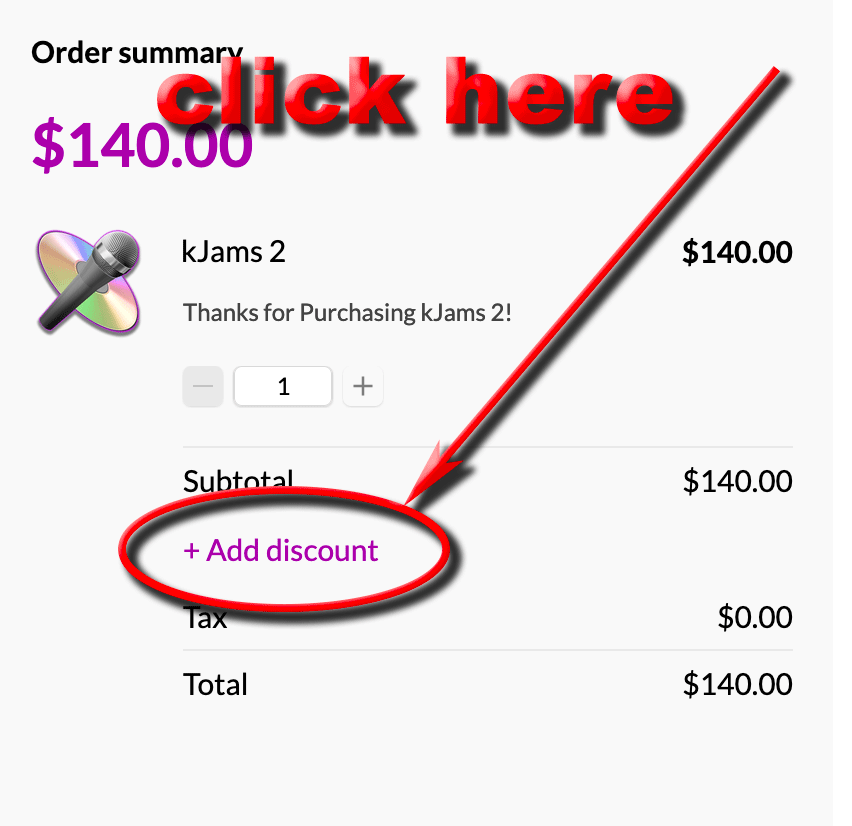
Then enter the coupon like shown below:
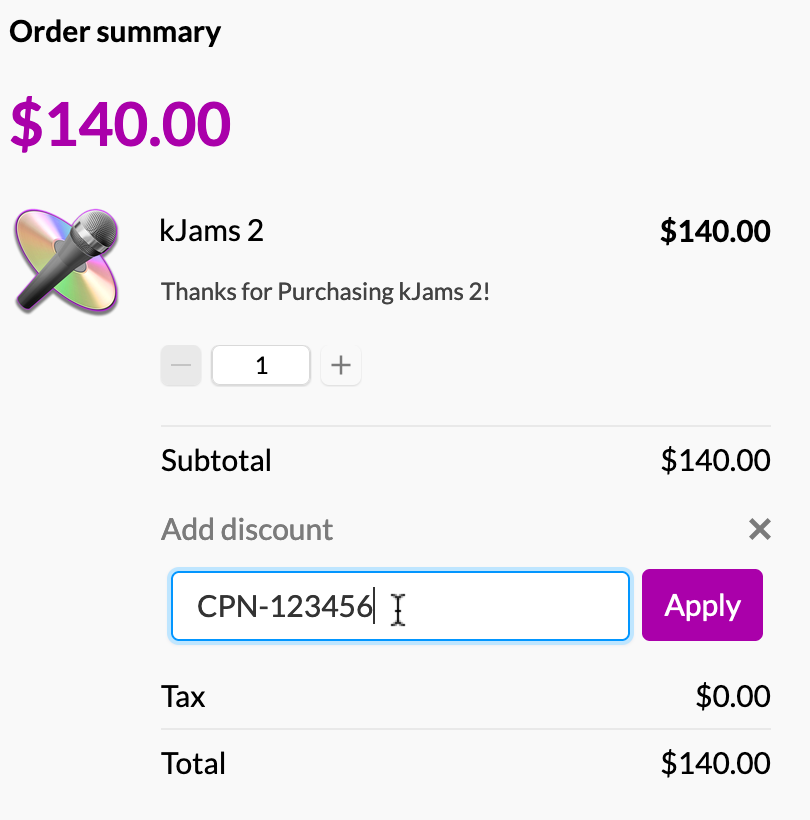
Important: you must then click the "Apply" button!