Messenger: Difference between revisions
No edit summary |
|||
| (One intermediate revision by the same user not shown) | |||
| Line 24: | Line 24: | ||
If you have a rotation going, it will say who is singing the next song. You can cause this to happen at any time by picking from the menu: Video->Messenger Rotation:<br> | If you have a rotation going, it will say who is singing the next song. You can cause this to happen at any time by picking from the menu: Video->Messenger Rotation:<br> | ||
https://karaoke.kjams.com/screenshots/messenger/next_singer.jpg<br> | https://karaoke.kjams.com/screenshots/messenger/next_singer.jpg<br> | ||
The default "Template" for the messenger rotation is "[nick]: [name]". This means first show the "nickname" of the singer, followed by a colon, a space, then the Song Name. | The default "Template" (meta tag list) for the messenger rotation is "[nick]: [name]". This means first show the "nickname" of the singer (default being the Singer Name), followed by a colon, a space, then the Song Name. You can use any song [[Xattr|"Xattr tags" from this list]]. | ||
If you want to show ONLY singer's nicknames, then you can change the pref to just be "[nick]". The "[[Secret_Prefs|secret pref]]" is "Messenger Rotation Template". To set this in kJams 2: the proper python pref command is: | |||
kjams.pref_set("Messenger Rotation Template", "[nick]"); | |||
Aside: Meta tags can only be 4 characters long. Since "[name]" is so generic, I suppose the template for "song name" should have been "[sogN]" and "Singer Name" should have been [sigN], but i can't change it now. | |||
Latest revision as of 07:02, 29 October 2013
The “Messenger” is the bit of code that manages the scrolling text overlays in the Video window.
You can also loop the messenger messsage (option in the Video menu).
You can turn OFF the messenger in the General Preferences "Show Messages in the Video window".
Currently playing song

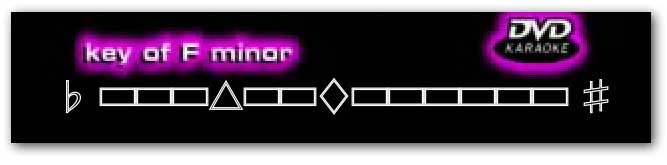
Pitch and Tempo
It will show when you change the pitch:
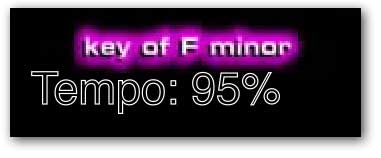
And also shows when you change the tempo:
Music Volume, Microphone Gain
And when you change the volume:
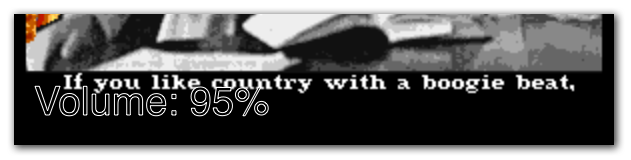
And the mic gain:

Custom Message
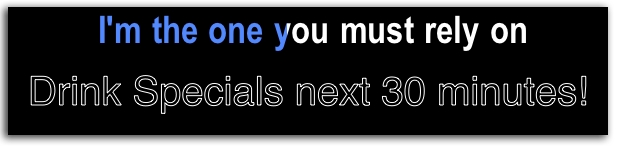
You can also send a customized message, either a one-shot message, or you can set up a message then send it over and over whenever you want (eg: "Tip your waitress!" or "Drink Specials for the next hour!"). To show a one-shot message, pick Video->Messenger Message, then type your message and it will immediately be shown. Alternately, you can pick "Video->Enter Custom Messenger Message" to enter a message that will be saved for later. Then, at any time you can pick "Video->Show Custom Messenger Message" to show that message.
Messenger Rotation
If you have a rotation going, it will say who is singing the next song. You can cause this to happen at any time by picking from the menu: Video->Messenger Rotation:

The default "Template" (meta tag list) for the messenger rotation is "[nick]: [name]". This means first show the "nickname" of the singer (default being the Singer Name), followed by a colon, a space, then the Song Name. You can use any song "Xattr tags" from this list.
If you want to show ONLY singer's nicknames, then you can change the pref to just be "[nick]". The "secret pref" is "Messenger Rotation Template". To set this in kJams 2: the proper python pref command is:
kjams.pref_set("Messenger Rotation Template", "[nick]");
Aside: Meta tags can only be 4 characters long. Since "[name]" is so generic, I suppose the template for "song name" should have been "[sogN]" and "Singer Name" should have been [sigN], but i can't change it now.