Advanced: Difference between revisions
Jump to navigation
Jump to search
No edit summary |
No edit summary |
||
| Line 13: | Line 13: | ||
The difference between "Capital Case" and "Title Case" is that Capital Case will capitalize every word, while the other won't capitalize words that probably don't need it. | The difference between "Capital Case" and "Title Case" is that Capital Case will capitalize every word, while the other won't capitalize words that probably don't need it. | ||
==Reinterpret== | ==Reinterpret== | ||
see: [Reinterpret] | see: [[Reinterpret]] | ||
==Re-Link to Files== | ==Re-Link to Files== | ||
see: [Missing] | see: [[Missing]] | ||
==There's more== | ==There's more== | ||
i know i need to fill this section in | i know i need to fill this section in | ||
Latest revision as of 02:28, 21 April 2021
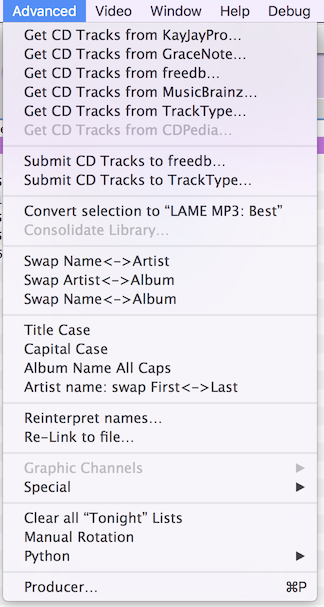
the Advanced menu is mostly about editing Meta Data
Get CD Tracks from…"
see: Fetching_Metadata
Submit CD Tracks to…"
Convert Selection To…"
This will re-encode your selected song(s) into the format specified. To Specify the format, go to Preferences->Importing, and select your Encoder and/or Preset.
Swap… and changing Case
Should be self-explanatory. The difference between "Capital Case" and "Title Case" is that Capital Case will capitalize every word, while the other won't capitalize words that probably don't need it.
Reinterpret
see: Reinterpret
Re-Link to Files
see: Missing
There's more
i know i need to fill this section in