Blog/Parallels/TimeMachineFail: Difference between revisions
No edit summary |
|||
| Line 1: | Line 1: | ||
1) mounted hard drives (external devices) randomly dismount and remount when VM is running<br> | 1) mounted hard drives (external devices) randomly dismount and remount when VM is running<br> | ||
2) restarting the host OS: the restart is canceled by parallels<br> | 2) solved. <strike>restarting the host OS: the restart is canceled by parallels</strike><br> | ||
3) if you restart the VM, HDs that were previously mounted do NOT re-mount<br> | 3) solved. <strike>if you restart the VM, HDs that were previously mounted do NOT re-mount</strike><br> | ||
==problem 1== | ==problem 1== | ||
| Line 36: | Line 36: | ||
==problem 2== | ==problem 2== | ||
if i restart the host OS, the restart is HALTED because parallels cancels the restart while it suspends the VM. the restart SHOULD NOT BE HALTED | solved: if i restart the host OS, the restart is HALTED because parallels cancels the restart while it suspends the VM. the restart SHOULD NOT BE HALTED | ||
==problem 3== | ==problem 3== | ||
if i suspend the VM, then quit and re-run parallels, and the VM is launched again, the HDs that were previously mounted DO NOT GET RE-MOUNTED. All discs that were mounted during suspend (or shutdown) should be re-mounted when the VM comes back online | solved: if i suspend the VM, then quit and re-run parallels, and the VM is launched again, the HDs that were previously mounted DO NOT GET RE-MOUNTED. All discs that were mounted during suspend (or shutdown) should be re-mounted when the VM comes back online | ||
Latest revision as of 16:35, 24 June 2014
1) mounted hard drives (external devices) randomly dismount and remount when VM is running
2) solved. restarting the host OS: the restart is canceled by parallels
3) solved. if you restart the VM, HDs that were previously mounted do NOT re-mount
problem 1
i have a mac mini running 10.9
this mac has several external hard drives connected
this mac runs parallels
in the guest OS, i run 10.6.8 Server
one of the external drives is mounted in the guest OS (via Devices->External Devices)
the server serves time machine to my LAN, using the mounted drive from the host OS
This is the bug: periodically, the drive simply dismounts without warning, then shows the "The disk was not ejected properly" error, then the drive re-mounts (auto-dismissing the error dialog) but the drive now has a different mount-point name (has a "1" appended). the new mount point name breaks Time Machine.
this problem occurs daily.
here are some screen shots showing the aftermath of the situation:
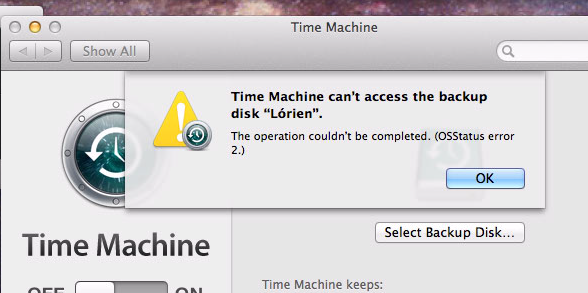
above: time machine failing is the first indication i have of the problem
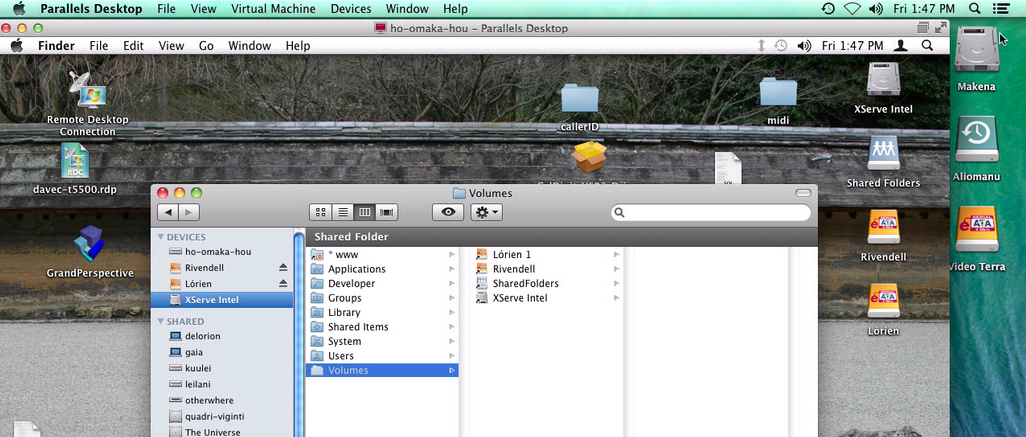
above: note the incorrect mount point name
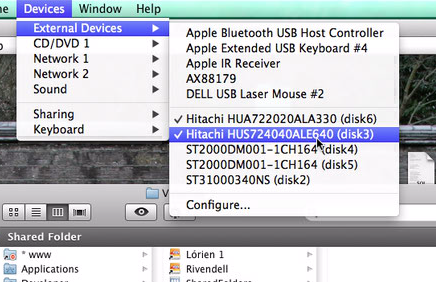
above: i am about to (correctly) dismount the drive, it should not be a problem, right?
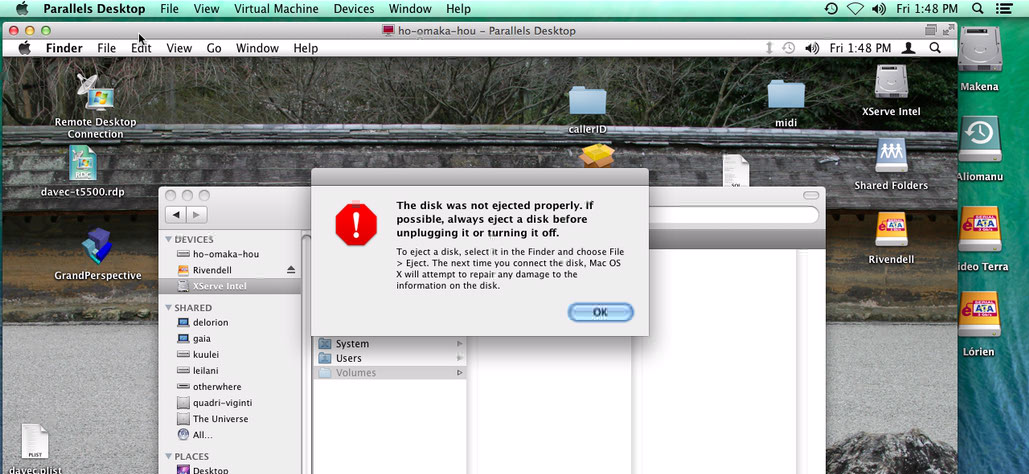
above: dismounting the drive should NOT cause this problem
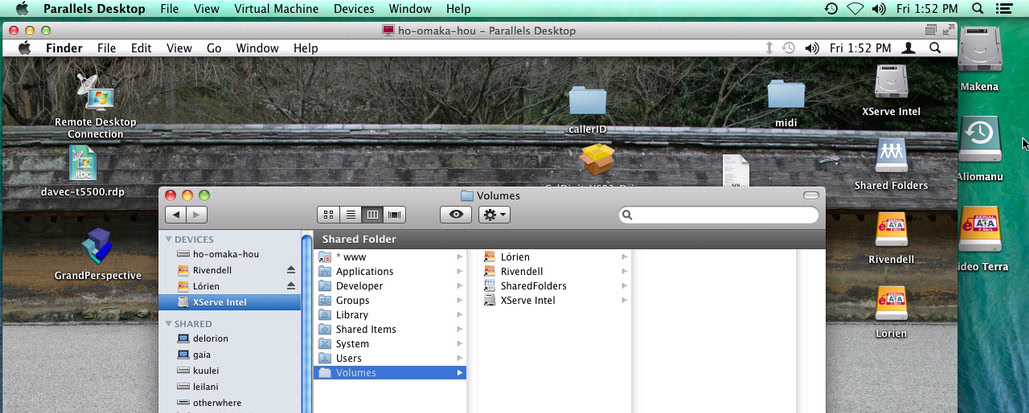
re-mounting the drive, it now has the correct name
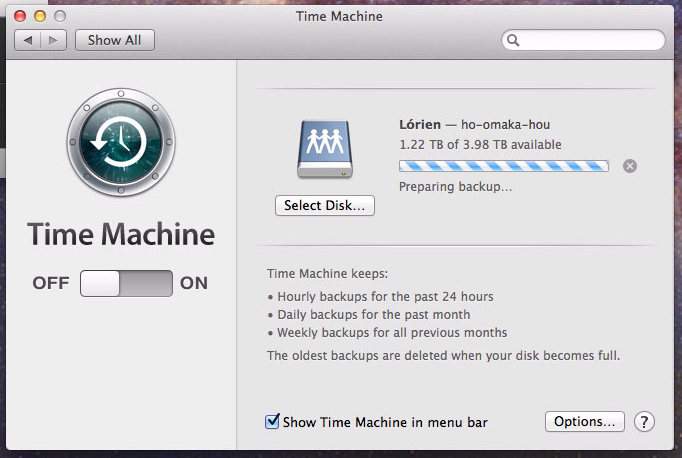
now time machine works again
problem 2
solved: if i restart the host OS, the restart is HALTED because parallels cancels the restart while it suspends the VM. the restart SHOULD NOT BE HALTED
problem 3
solved: if i suspend the VM, then quit and re-run parallels, and the VM is launched again, the HDs that were previously mounted DO NOT GET RE-MOUNTED. All discs that were mounted during suspend (or shutdown) should be re-mounted when the VM comes back online